Home :: Video Tutorials :: Photography Training Videos :: GreenScreen: Lighting & Photoshop
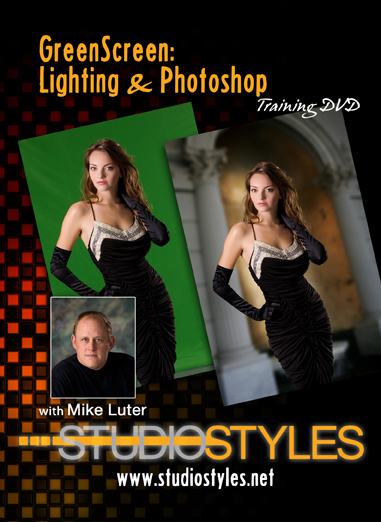
GreenScreen: Lighting & Photoshop
For the past several months I have been using green screen in the studio and thought I would share our latest green screen tutorial with you. This stuff is just too much fun.


For those of you that don’t know, Chromakey is more commonly referred to as GreenScreen due to the color of the background. Chromakey is the process of shooting a subject on a green screen background, removing the background and dropping in or replacing that background with another background.

View the Trailer


The background is removed in the computer with a piece of software designed to remove that particular green or blue and replaces it with whatever background you select. In this video I go over EVERYTHING from start to finish. How to properly light the background and the subject, then the step-by-step process we use for removing the background in Photoshop and replacing it with a cool new background.


Forum Members Have Access to This Video and Much More with Their ONLINE TRAINING Subscription

Sign Up Now!

(Quicktime Format, 31m 24s, 166.6MB)

SKU GreenscreenStudio
Our price: $35.00 (30.45)
Quantity 1 (this product is downloadable)
: *
: *
: *
 
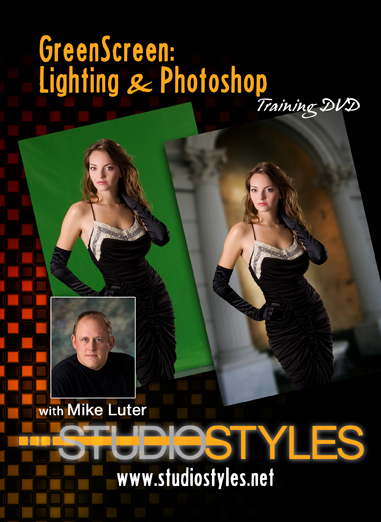
Greenscreen Lighting & Photoshop DVD Cover
Greeting Card
Legacy Sports Logo-Football
Pre-School Calendar
Greeting Card Legacy Sports Logo-Football Pre-School Calendar
$20.00
$20.00
$20.00
 
Legacy Sports Logo-Cheerleading
Removing Braces in Photoshop
Dance Composites
Legacy Sports Logo-Cheerleading Removing Braces in Photoshop Dance Composites
$20.00
$25.00
$20.00
 
Basketball Magazine Cover
Football Logo
Cheerleading Poster
Basketball Magazine Cover Football Logo Cheerleading Poster
$20.00
$20.00
$20.00

Product rating

You have rated this product already

Customer Reviews

There have been no reviews for this product.

Add your review here

: *
: *
Maximum review length is 2000 characters
Type the characters you see in the picture:


*